Enable Mailbox Archiving Exchange Online
|

Enable Mailbox Archiving Exchange Online

Enable Mailbox Archiving Exchange Online The focus of this post is to look at two ways on how Mailbox Arching can be enabled in Exchange Online. What is Archiving? Archiving in Exchange Online (called In-Place Archiving) provides users with additional mailbox storage space. Archive mailboxes also provide an alternate storage location in which to store historical…

Assign Import Export Permission in Office 365
|

Assign Import Export Permission in Office 365

Assign Import Export Permission in Office 365 To assign the new permission, do the following. Launch the Exchange Online Admin Console Click Permissions Admin Role and select “Organization Management” Click the “pen” to edit the role From within the Organization Management Role, click on + under roles. Click on the Mailbox Import Request, Then click…

Exchange 2016 Hybrid Configuration
| | | |

Exchange 2016 Hybrid Configuration

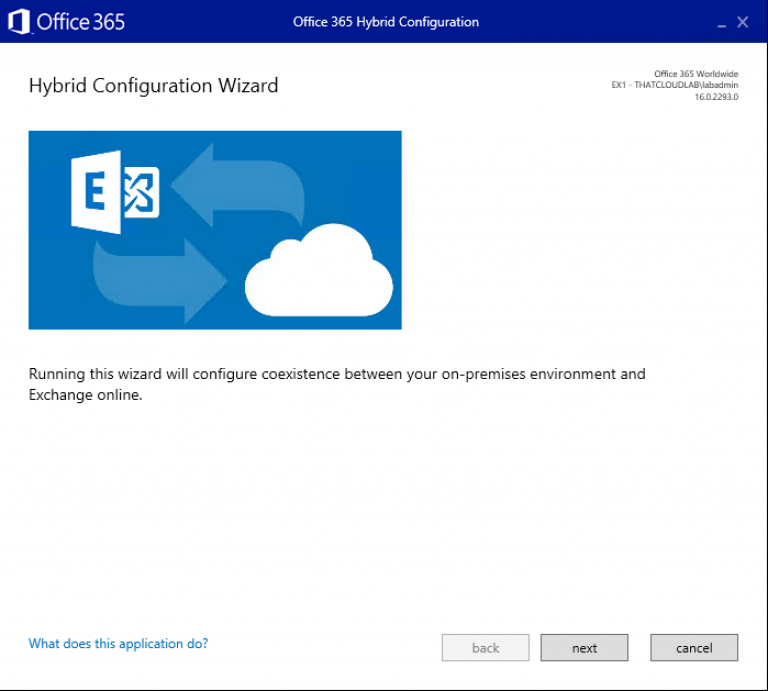
Exchange 2016 Hybrid Configuration A hybrid deployment is a combination of on-premises applications and cloud-based services. For example, Exchange hybrid solutions could include using an Exchange Server on-premises and Exchange Online in Office 365. There are multiple ways to configure mail routing with a hybrid organisation, but for the purpose of this blog post, the focus will be on a non-centralised mail routing. What…

How to Export Exchange Online Transport Rules
|

How to Export Exchange Online Transport Rules

Export Exchange Online Transport Rules In this post, I will focus on how to export Exchange Online Transport rules using PowerShell. To get started we first need to establish a connection to Exchange Online or Office 365. Connect to Exchange Online PowerShell $UserCredential = Get-Credential Then $Session = New-PSSession -ConfigurationName Microsoft.Exchange -ConnectionUri https://outlook.office365.com/powershell-liveid/ -Credential $UserCredential…

How to find your Office 365 Tenant Location.
| |

How to find your Office 365 Tenant Location.

How to find your Office 365 Tenant Location. The following method can be used to find out where your Office 365 Tenant is hosted. First, we need to connect to Office 365 Exchange Online using the following: $credential = Get-Credential $msexonline = New-PSSession -ConfigurationName Microsoft.Exchange -ConnectionUri “https://outlook.office365.com/powershell-liveid/” -Credential $credential -Authentication “Basic” -AllowRedirection Import-PSSession $msexonline -DisableNameChecking…

Error Connecting to Exchange Online PowerShell with MFA enabled.

Error Connecting to Exchange Online PowerShell with MFA enabled.

Error Connecting to Exchange Online PowerShell with MFA enabled. When you try to connect to Exchange Online using PowerShell you receive the following error. The Cause for this is: This issue occurs if either an internal firewall or the Windows Remote Management service has not been started. Solution is: To resolve this issue, check whether…

Assign Exchange Online Admin Role Permission using PowerShell

Assign Exchange Online Admin Role Permission using PowerShell

Assign Exchange Online Permissions using PowerShell You can quickly and easily assign roles to user accounts using Office 365 PowerShell by identifying the user account’s Display Name and the role’s Name. To start, you first need to establish a session to Office 365 PowerShell, this can be done by a script a created which is…

Microsoft Exchange Online Multi-Geo Capabilities

Microsoft Exchange Online Multi-Geo Capabilities

Microsoft Exchange Online Multi-Geo Capabilities What is Multi – Geo Capabilities? Multi-Geo enables a single Office 365 tenant to span across multiple Office 365 datacenter geographies (geos), and gives customers the ability to store their Exchange and OneDrive data, at-rest, on a per-user basis, in their chosen geos. If you are part of the Microsoft…

Connecting to Exchange Online with MFA Enabled

Connecting to Exchange Online with MFA Enabled

Connect to Exchange Online PowerShell with MFA Enabled.   If your organization is using MFA for all staff to provide an extra layer of security you might have found that connecting to Exchange Online using Remote PowerShell fails with an error “Access Denied”. For accounts with MFA enabled they cannot use the same method as…

Exchange Online Backup and Restore: A Complete Guide

Exchange Online Backup and Restore: A Complete Guide

Author Bio: Deeksha Negi is a cloud technology geek and a regular blogger at www.office365tips.org website. Her interests are doing research on Microsoft Office 365 migration, data recovery, troubleshooting related topics and writing blogs on the same. In her free time, she likes to train the kids in performing arts. Exchange Online Backup and Restore:…