Finding Domain Controllers with Powershell
How to Find Domain Controllers with Windows Powershell.
Get-ADDomainController
Gets one or more Active Directory domain controllers based on discoverable services criteria, search parameters or by providing a domain controller identifier, such as the NetBIOS name.
In this post I will showcase how to get all the below listed information using Windows PowerShell.
1.Domain Controllers
2. Forest
3. Ipv4Address
4.OperatingSytem
5.Is the Server a Global Catalog
First we will start by running a one liner to give us the domain controllers
Get-ADDomainController

If any of you are like me I want to see less, so below we will modify the Line to give us only the information we looking for.
Get-ADDomainController -Filter * | Select-Object Name,Domain,Forest,Ipv4Address,OperatingSystem,IsGlobalCatalog
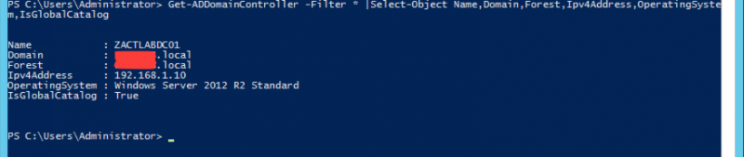
Now we see what we want to see 🙂
Hope this is somewhat useful to someone.
#ThatLazyAdmin