
Find Disconnected Mailboxes Exchange 2013
Get Disconnected Mailboxes Exchange 2013 EAC and #PowerShell
By using the EAC (Exchange Admin Console)
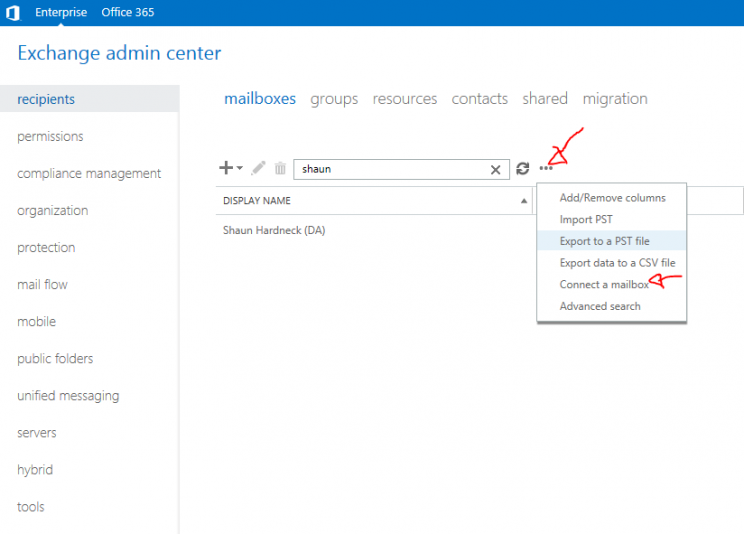
- In the EAC, navigate to Recipients > Mailboxes.
- Click More , and then click Connect a mailbox. …
- Click the disabled mailbox that you want to reconnect, and then click Connect.
Lets look at doing the same with #PowerShell :

Get-MailboxDatabase | Get-MailboxStatistics | Where { $_.DisplayName -eq "<display name>" } | fl DisplayName,Database,DisconnectReason