
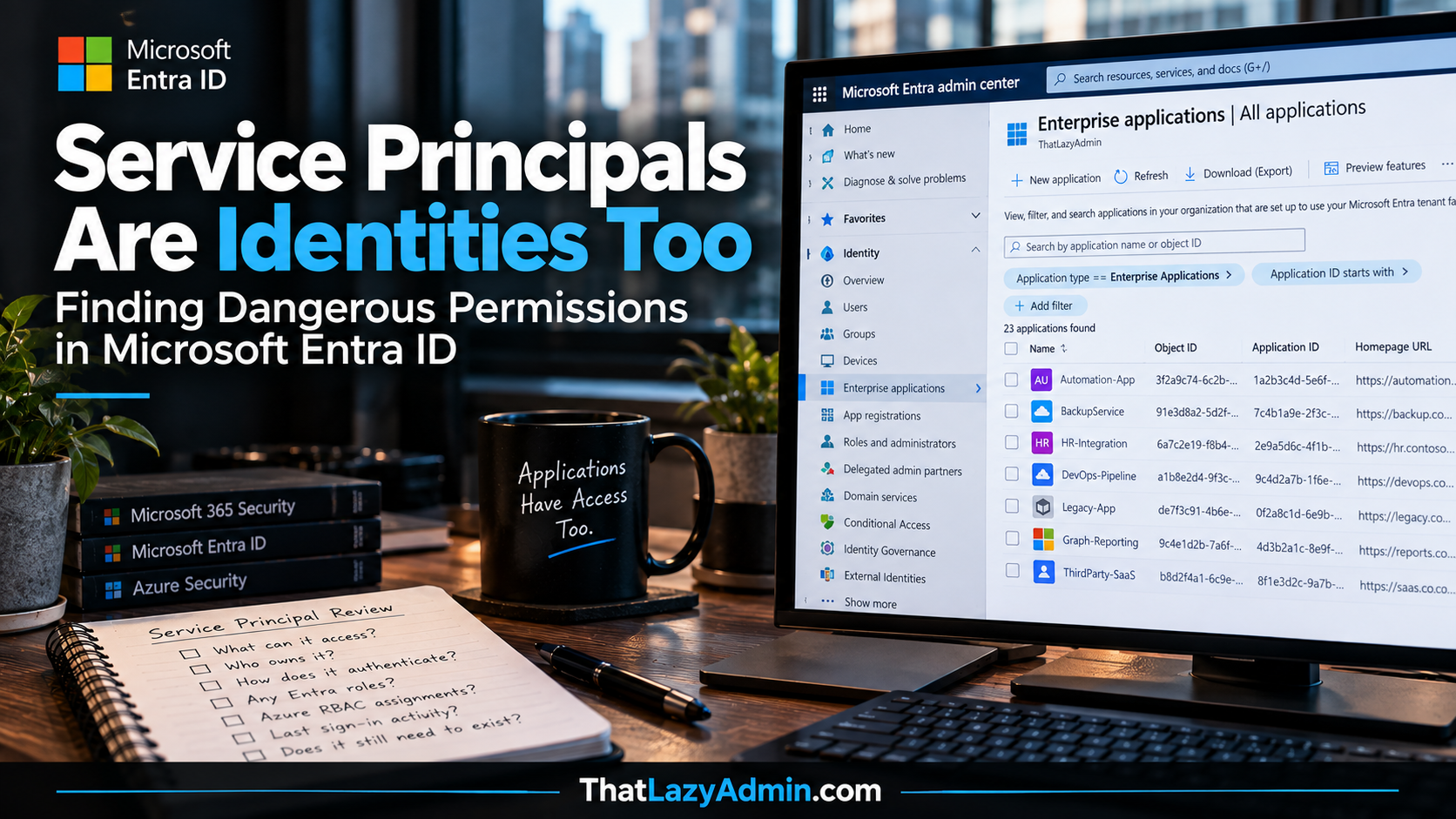
Service Principals Are Identities Too
Finding Dangerous Permissions in Microsoft Entra ID
Technical blog post | Microsoft Entra ID | Workload identities
When I start reviewing the security of a Microsoft Entra ID tenant, privileged users are normally one of the first things I look at.
Who has Global Administrator? Who has Privileged Role Administrator? Are those assignments permanent? Is PIM being used? Are privileged administrators using strong authentication?
Those are important questions, but they only tell us about one type of privileged identity.
There is another group of identities sitting quietly in almost every Microsoft 365 and Azure environment: service principals.
This is an area I think is still overlooked during security assessments.
An organisation might spend months improving Conditional Access, reducing permanent administrative access and rolling out stronger authentication while an application created three years ago still has broad Microsoft Graph permissions and credentials that nobody remembers creating.
That application doesn’t have a laptop to enrol into Intune. Nobody receives an HR termination request when it stops being used. Depending on how it authenticates, there may be no MFA challenge involved at all.
If nobody is actively governing that identity, its permissions can remain in the tenant long after the original project or integration has disappeared.
That is why service principals need to be treated as identities. Because that is exactly what they are. And sometimes the identities with the most interesting access in a tenant aren’t people at all.
First, let’s get the terminology right
Microsoft’s application terminology can be confusing, particularly when people use “app registration”, “enterprise application” and “service principal” as though they are the same thing. They aren’t.
When you register an application in Microsoft Entra ID, Microsoft creates an application object. Microsoft describes this object as the blueprint or template for the application. The application object contains the application’s identity configuration and describes things such as the resources it might need to access and how it integrates with the Microsoft identity platform. You manage application objects from App registrations.
A service principal is the local representation of an application in a Microsoft Entra tenant. It is the security principal that represents that application instance and is used when Entra makes access decisions for that workload. You manage those objects primarily through Enterprise applications.
The distinction becomes easier to understand with a multitenant SaaS application. The software vendor owns the application object in its home tenant. When your organisation consents to that application, a corresponding service principal is created in your tenant. Your tenant doesn’t suddenly own the vendor’s application registration. It has its own local representation of that application.
That service principal is what I care about when investigating what the application can do inside my tenant.
There are exceptions worth knowing about too. Managed identities are represented by service principals, but the service principal for a managed identity doesn’t have an associated application object in the same way a normal application service principal does. Microsoft also has legacy service principal types. So the simple rule of “every service principal has an app registration” isn’t technically correct.
Why this matters during a security assessment
If I only review App registrations, I don’t necessarily have a complete picture of the application identities operating in the tenant. What I’m ultimately interested in is effective access.
What has this workload actually been granted? Which APIs can it call? Does it hold any Entra directory roles? Does it have Azure RBAC assignments? Who controls it? How does it authenticate? Is it still being used?
Those questions are much more useful than simply looking at the list of API permissions somebody configured when the application was originally created. Microsoft describes the service principal as the identity of the application instance within the tenant. That is the identity whose access and behaviour I want to understand.
A service principal doesn’t need a person sitting behind it
Human identities and workload identities authenticate differently.
A user normally signs in interactively. Depending on the environment, they might use Windows Hello for Business, a passkey, password plus MFA, or another authentication method. Conditional Access can then evaluate signals around that authentication attempt.
A service principal generally isn’t doing any of that. An application might authenticate using a certificate, client secret or federated identity credential. An Azure workload might use a managed identity where Azure manages the underlying credentials.
There is no user sitting there approving an Authenticator notification. That is exactly what we want for automation.
Imagine an automation application that runs every night. It authenticates to Entra ID, obtains a token and calls Microsoft Graph. Nobody needs to be awake at 02:00 to approve the job.
The security problem starts when that application’s access is broader than necessary, its authentication material isn’t properly protected, or nobody remembers that the application still exists.
Workload identities also don’t have the same natural lifecycle trigger that people do. They can’t perform MFA, often don’t have formal lifecycle processes, and may need credentials that have to be secured appropriately. That changes how we need to approach them.
Delegated permissions and application permissions are very different
This is probably the most important concept to understand when reviewing Microsoft Graph permissions.
Microsoft Graph supports delegated permissions and application permissions.
Delegated permissions are used when an application is acting on behalf of a signed-in user. In that model there are two things to consider. The application needs the delegated permission, but the user also needs to be authorised to perform the operation against the target resource. In other words, granting an application a delegated permission doesn’t magically turn the signed-in user into an administrator.
Application permissions work differently. There is no signed-in user. The application authenticates as itself and performs operations using the application permissions that have been granted to it. This is commonly called app-only access.
That is exactly what we need for many background services, automation processes, backup platforms and integrations. It is also why application permissions deserve careful scrutiny.
If a workload has broad app-only access, that access belongs to the workload identity. It isn’t constrained by whichever employee happens to be logged in because there isn’t one.
Requested access and granted access are not the same thing
This is another area where assessments can become misleading. Looking at an application’s configured API permissions is useful, but I also want to establish what has actually been granted.
For a service principal, Microsoft Graph exposes application permission grants as app role assignments. Delegated permissions granted to the client service principal are represented separately through OAuth2 permission grants. That distinction gives us a much better way to investigate effective access.
Using Microsoft Graph PowerShell, we can start by connecting with appropriate read permissions:
Connect-MgGraph -Scopes "Application.Read.All","Directory.Read.All"
We can then enumerate service principals:
Get-MgServicePrincipal -All |
 Select-Object DisplayName,
 AppId,
 Id,
 ServicePrincipalType,
 AccountEnabled
On an established tenant, expect quite a lot of output. Do not look at that list and start deleting things because the names don’t look familiar.
Microsoft services use service principals. Third-party SaaS applications use them. Internal applications use them. Managed identities are represented by them. The objective isn’t to get the number down. The objective is to understand what exists.
For a particular service principal, we can retrieve its app role assignments:
Get-MgServicePrincipalAppRoleAssignment `
 -ServicePrincipalId $ServicePrincipalId `
 -All
The raw output isn’t particularly friendly because permissions are represented using identifiers. For a useful assessment, I normally resolve those IDs against the app roles exposed by the resource service principal.
For Microsoft Graph, that means resolving the assignment against the Microsoft Graph service principal so that a GUID becomes something meaningful such as User.Read.All or Group.ReadWrite.All. Now we have something useful to investigate.
Powerful permissions aren’t automatically bad
This distinction matters. A powerful permission is not automatically evidence of a security problem.
There are applications that legitimately require significant access. A Microsoft 365 backup platform may need broad access because backing up organisational data is its purpose. An identity governance product may need access to directory information. A provisioning system may legitimately require write permissions.
The question isn’t whether the permission sounds dangerous. The question is whether the permission is appropriate for what the application actually does.
If an application exists only to generate a basic user report, why does it have directory write access? If it only reads group membership, why can it modify groups? If it was created for a proof of concept two years ago, why does it still have production access?
This is simply least privilege applied to workloads. We tell administrators not to use Global Administrator when a smaller role will do the job. Applications deserve exactly the same scrutiny.
Microsoft Graph isn’t the only place privilege can exist
Another mistake is to review Graph permissions and assume the job is finished.
A service principal can receive access through several different authorisation systems. It can have API permissions. It can hold Microsoft Entra directory roles. It can also have Azure RBAC assignments against subscriptions, management groups, resource groups or individual Azure resources.
Those are separate authorisation systems.
A workload could have relatively uninteresting Microsoft Graph permissions while simultaneously holding Owner or Contributor somewhere in Azure. Another application might have no Azure access whatsoever but have significant app-only Microsoft Graph permissions.
This is why I don’t assess an application from a single portal page. I want to understand the complete identity and the blast radius associated with compromising it.
Application ownership is more important than it looks
Application ownership often gets treated like administrative housekeeping. It shouldn’t.
Ownership can form part of a privilege path. If somebody has sufficient control over an application that already possesses significant permissions, changes to that application can become security-sensitive. Credential changes are particularly important because a newly added credential can potentially create another way of authenticating as the application.
Microsoft recommends maintaining ownership information for service accounts and building formal lifecycle processes around them. Its security operations guidance also recommends monitoring unexpected application credential changes.
So when I find a powerful application, I want to know who is accountable for it. Not Bob, who left the organisation three years ago. Not ten administrators added “just in case”. And definitely not nobody.
Someone should understand what the application does, why it has its current permissions, how it authenticates and what happens if it stops working. Ownership is part of governance.
Then I want to know how the workload authenticates
Once I know what the identity can do, the next question is obvious: how does it prove its identity?
For Azure-hosted workloads, Microsoft recommends using a managed identity where the service supports it. Azure manages and rotates the credentials behind the managed identity, which means developers don’t have to distribute and protect an application secret themselves.
That is a significant improvement. There isn’t a client secret sitting in a configuration file waiting for somebody to accidentally commit it to a repository.
For workloads outside Azure, workload identity federation can remove the need for long-lived Entra secrets in supported scenarios.
GitHub Actions is a good example. Instead of storing a reusable Entra client secret in GitHub, we can establish trust between Entra ID and the external identity provider. The workload presents a token from that trusted provider, Entra validates the federated relationship, and the workload can obtain an Entra access token without storing a traditional application secret.
That is a much cleaner credential model. It doesn’t mean federation is automatically secure. The trust itself becomes security-sensitive configuration. The issuer, subject and other matching conditions need to identify the intended workload correctly.
Removing secrets doesn’t remove the requirement for good identity architecture.
Certificates and client secrets still have their place
There will be environments where managed identities or workload identity federation aren’t practical.
In those situations, certificate credentials are generally preferable to client secrets for service principals. Microsoft’s current Entra security guidance recommends certificate credentials for service principals and treats client secrets as an exception where stronger options aren’t available.
That doesn’t mean every client secret is a security incident waiting to happen. Context still matters.
If I find one, I want to know where it is stored, who can retrieve it, how long it remains valid, how it gets rotated and whether the application could use a stronger authentication mechanism instead.
A client secret stored in Azure Key Vault with controlled access and a documented lifecycle is a very different situation from this:
$ClientSecret = "SuperSecretPassword123!"
sitting in a script on someone’s workstation.
The architectural goal isn’t simply to make secrets shorter. It is to reduce the number of long-lived secrets we need to protect in the first place.
Old credentials are part of the attack surface
Applications can have multiple credentials. That means adding a new certificate or secret doesn’t necessarily remove the old authentication path.
During an assessment, I might find a production application using a certificate that is properly maintained, while the same application still has two older credentials attached to it. Nobody knows what they are for.
Maybe they were used during testing. Maybe an old integration still relies on one. Maybe neither has been touched in years.
I don’t delete them blindly. I establish the dependency first. But once we know a credential isn’t required, there is very little value in keeping another valid authentication path around.
The service account lifecycle should include periodic credential review, removal of unnecessary access and avoidance of credentials that effectively never expire.
Consent is another way applications appear in the tenant
Not every Enterprise application exists because the infrastructure team deliberately created it.
Applications can also enter the tenant through consent. A user signs into a SaaS application using their organisational identity. The application requests permissions. If the tenant’s consent configuration permits the user to approve those permissions, consent can result in a service principal for that application being present in the tenant.
That is why application consent deserves proper governance.
I don’t want unrestricted consent where users can approve applications asking for inappropriate access to organisational data. At the same time, blocking everything without an approval process creates unnecessary friction.
The sensible approach is to define what users are allowed to consent to and provide an admin consent workflow for requests requiring administrative review.
And when an administrator sees Grant admin consent, that shouldn’t become the Microsoft 365 equivalent of clicking Next, Next, Finish.
Before granting tenant-wide consent, understand the publisher, business requirement and permissions being requested.
If a vendor’s deployment document tells me to grant a broad Microsoft Graph permission, I still want to know why. Vendor documentation doesn’t replace least privilege.
Conditional Access doesn’t automatically protect these identities
This is another area worth getting exactly right.
Conditional Access policies targeting users don’t automatically apply to service principals.
Microsoft provides Conditional Access for workload identities specifically for supported service principal scenarios. These policies can use conditions such as network location and service principal risk, but Block access is currently the only grant control for workload identity policies. A service principal cannot satisfy an MFA challenge.
There are also important coverage limitations. Workload identity Conditional Access can target service principals owned by the organisation. Microsoft applications, third-party SaaS or other multitenant service principals aren’t covered, and managed identities aren’t covered by these policies either.
Licensing matters too. Microsoft Entra Workload ID Premium is required to create or modify Conditional Access policies scoped to service principals.
So a beautifully designed user Conditional Access architecture doesn’t mean workload identities inherited the same protection. They didn’t. They need their own security design.
Look at service principal sign-ins
Service principals also have their own sign-in activity.
In Microsoft Entra, you can investigate this under Entra ID, Monitoring & health, Sign-in logs, Service principal sign-ins.
These logs are useful because workload authentication is often more predictable than human authentication. A background workload normally runs from known infrastructure and follows a recognisable pattern. Unexpected changes in that pattern deserve investigation.
The logs are also useful when trying to establish whether an application is still active.
If a service principal hasn’t authenticated for months, that doesn’t automatically mean it should be deleted. It could be used for disaster recovery, an annual process or another infrequent workload.
The log gives us evidence. It doesn’t make the lifecycle decision for us. That’s an important difference.
Eventually the technical investigation becomes quite simple
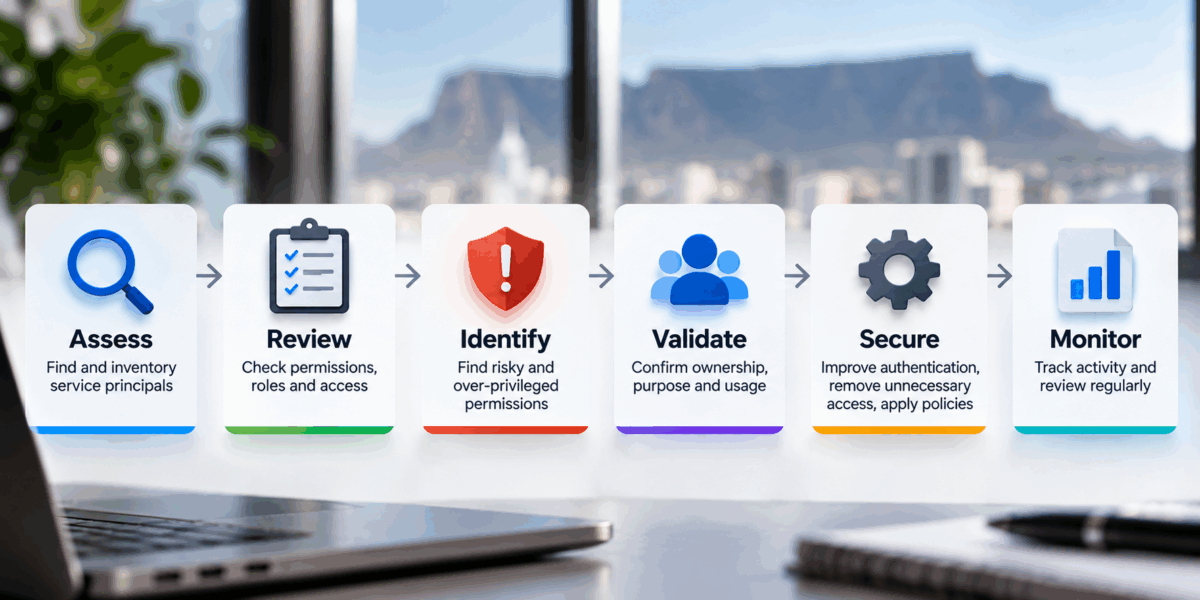
After working through permissions, role assignments, credentials and sign-in logs, I want to be able to answer a few straightforward questions.
Who owns this identity? Why does it exist? What can it access? How does it authenticate? Where does it normally authenticate from? Does it still need to exist?
If nobody can answer those questions for a service principal with significant privilege, I already have a governance problem even if I haven’t found evidence of compromise.
Security isn’t only about finding malicious activity. It is also about removing uncertainty.
Think about the attack path, not only the configuration
This is the scenario I keep in mind when reviewing privileged applications.
An attacker doesn’t necessarily start by compromising Global Administrator. Perhaps they compromise a developer or administrator who has control over an application. That application already has significant permissions.
If the compromised identity has sufficient rights over the application, the attacker might be able to add another credential or otherwise modify its authentication configuration. If successful, the attacker may now have another authentication path through the workload identity.
The original user’s password gets changed. Their sessions are revoked. Their MFA methods are reset. But if the malicious application credential remains valid, fixing the original human identity might not remove the persistence mechanism.
That is why application credential changes, ownership changes, permission grants and privileged role assignments need security visibility.
Microsoft specifically recommends monitoring credentials added to existing applications because an unexpected credential can represent an attacker creating another authentication mechanism.
These aren’t just configuration events. In the right context, they are security events.
Service principals need a lifecycle too
We already understand identity lifecycle management for people.
Someone joins the organisation and gets access. Their role changes and their access changes. They leave and their access is removed.
Applications need the same thinking.
An application is created for a purpose. Somebody owns it. Permissions are approved. Authentication is configured. It goes into production.
Then the environment changes. New permissions get added. Owners leave. Credentials are rotated. The integration gets replaced. Eventually the application isn’t required anymore.
But applications don’t resign. Nobody in HR opens an offboarding request for Finance-Automation-Prod.
Without a lifecycle process, application identities simply accumulate.
The right governance model documents the owner, purpose, permissions, expected lifetime and review cycle for service accounts, then regularly recertifies whether they are still required. That is workload identity governance in practical terms.
What good looks like
A mature workload identity environment is actually quite boring.
You know who owns important applications. You know why they exist. Their permissions make sense for their purpose. Powerful access has a documented reason.
Azure workloads use managed identities where practical. External workloads use federation where it fits. Certificates are used when credentials are genuinely required, and client secrets are controlled exceptions rather than the automatic choice.
Unused credentials are removed. Old applications are reviewed. Consent is governed. Entra roles and Azure RBAC assignments are understood. Privileged workload identities are monitored.
Most importantly, somebody owns the lifecycle.
None of that is particularly glamorous. That’s usually a good sign.
Final thoughts
We spend a lot of time securing human identities in Microsoft Entra ID.
We deploy stronger authentication, Conditional Access, Identity Protection and PIM. We evaluate device trust and reduce standing privilege.
Then sometimes we create an application, give it significant permissions, attach a credential and forget about it for four years.
That doesn’t make much sense.
Service principals are identities. They authenticate. They receive tokens. They hold permissions. They can receive roles. They access organisational resources and data. They can also be compromised.
And because they operate without somebody sitting behind a keyboard, they can easily become some of the least visible privileged identities in an environment.
So the next time you’re reviewing privileged access in Microsoft Entra ID, don’t stop after checking Global Administrator.
Look at your Enterprise applications as well.
Understand the service principals operating in the tenant. Find the ones with significant permissions. Check their Entra roles and Azure RBAC assignments. Understand who owns them and how they authenticate. Review their credentials and sign-in activity. Establish how consent was granted and whether the workload still needs the access it has today.
Then ask the question that really matters:
If somebody gained control of this service principal today, what could they actually do with it?
The answer might show you that some of the most privileged identities in your Microsoft environment aren’t people at all.
References
Microsoft Learn: Application and service principal objects in Microsoft Entra ID
Microsoft Learn: Secure service accounts and govern service accounts
Microsoft Learn: Conditional Access for workload identities
Microsoft Learn: Workload identity federation
Microsoft Learn: Microsoft Graph servicePrincipal appRoleAssignments