Find Exchange Mailboxes with Automatic Email Address Policy set to $False
How to Find all User Mailboxes with Auto Email Address Policy Removed.
Let’s have a look at what the settings in Exchange Management Console looks like.
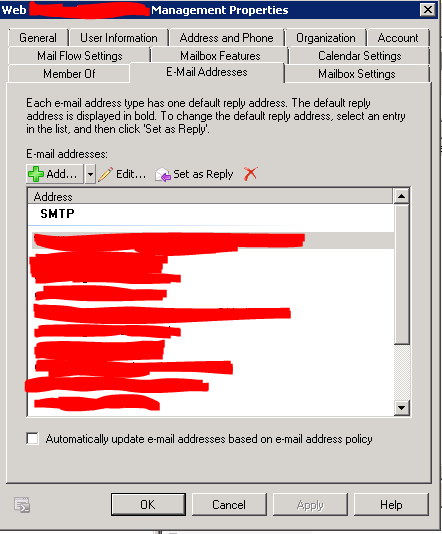
Let’s start by running a quick one liner to search for all these users.
Get-Mailbox -ResultSize Unlimited | Where {$_.EmailAddressPolicyEnabled -eq $False}

Next we can see the results output

That was a quick one liner ,but I have an issue the results displayed is not what I want to see . So let’s change the results Output from our one liner.
The Output results that I am looking for is : DisplayName,PrimarySmtpAddress,SamAccountName,EmailAddressPolicyEnabled
Get-Mailbox -ResultSize Unlimited | Where {$_.EmailAddressPolicyEnabled -eq $False} |ft Name,PrimarySmtpAddress,SamAccountName,EmailAddressPolicyEnabled
Let’s run again and see what we get

That is more like it 🙂
So if you want to Export the Results you can do the following : Out-File -Path “C:\export\EmailPolicy.txt”
Happy Emailing and use #PowerShell 🙂