Configure the external postmaster address in Exchange Online
Configure the external postmaster address in Exchange Online
The external postmaster address is used to send notification messages to senders outside of your Exchange Online organisation. External senders are a sender with a domain that is not part of your accepted domain in your organisation.
The default setting in Exchange Online for the postmaster address is “blank”.
To view the current setting for the postmaster address following the below, but first a connection to Exchange Online needs to be established using EXO PowerShell.
Get-TransportConfig | select ExternalPostmasterAddress

The above config shows that the postmasteraddress is current on default and “blank”, to set the externalpostmasteraddress run the following.

Set-TransportConfig -Externalpostmasteraddress postmaster@urbannerd-consulting.com
Run the following to verify that the changes to the config has been made.
Get-TransportConfig | select ExternalPostmasterAddress

To perform and addition test, send a email from an outside sender address to an invalid address in your Exchange Online organisation. This will generate an NDR, verify the from address in the NDR. This will reflect the new postmaster address which was set in the above steps.
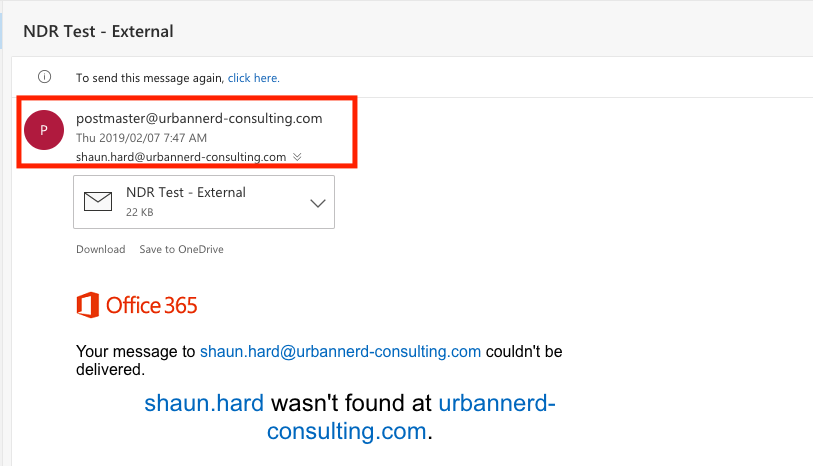
This is how quickly we can set the postmaster address in Exchange Online. It should also be noted that the Postmasteraddress is not associated with a mailbox.