Create Exchange 2010 Database Availability Group (DAG)
| |

Create Exchange 2010 Database Availability Group (DAG)

Create Exchange 2010 Database Availability Group (DAG) In this post, I will go through the process of creating a DAG in Exchange 2010 SP3. This post will cover the creation of the DAG using Exchange Management Shell. Like any other service the DAG has some pre-requisites that needs to be met. Firstly, let’s go ahead…

Installing Exchange 2010 SP3 and Rollup 17
|

Installing Exchange 2010 SP3 and Rollup 17

Installing Exchange 2010 SP3 and Rollup 17 Exchange SP3 can be downloaded from the following link. To get started you will have to extract the content for the file before the setup starts. Once the extract is completed, navigate the location where the files has been extracted and click on Setup.exe, the Exchange upgrade setup…

Installing Exchange on Server 2012 R2 show’s no Information
|

Installing Exchange on Server 2012 R2 show’s no Information

Installing Exchange on Server 2012 R2 show’s no Information When you install Exchange 2010 on Windows Server 2012 R2, you will notice that when you open the Management console that you cannot see any servers or modify any properties and the screen will look as follow. To resolve this issue, you will have to install…

Error Connecting to Exchange Online PowerShell with MFA enabled.

Error Connecting to Exchange Online PowerShell with MFA enabled.

Error Connecting to Exchange Online PowerShell with MFA enabled. When you try to connect to Exchange Online using PowerShell you receive the following error. The Cause for this is: This issue occurs if either an internal firewall or the Windows Remote Management service has not been started. Solution is: To resolve this issue, check whether…

Exchange Online and Exchange On-Premises Ignite Sessions

Exchange Online and Exchange On-Premises Ignite Sessions

Exchange On-premises and Exchange Online Ignite Sessions. Microsoft has made all the MSIgnite sessions available online, however the once i have listed below is some only related to Exchange On-premises and Exchange Online. Core Exchange / Exchange Online: Inside Exchange Online Scott Schnoll’s Exchange tips and tricks Troubleshooting Exchange ActiveSync devices Exchange Online Multi-Geo Capabilities…

Update to scalability guidance for Exchange 2016
|

Update to scalability guidance for Exchange 2016

Update to scalability guidance for Exchange 2016 The Microsoft Exchange Team has recently announced an update to their scalability guidance for Exchange 2016. Effective immediately, the maximum recommended memory for deployments for Exchange 2016 has changed from 96 GB to 192 GB. These changes are noted in the Exchange 2016 Sizing Guidance as well as…

Assign Exchange Online Admin Role Permission using PowerShell

Assign Exchange Online Admin Role Permission using PowerShell

Assign Exchange Online Permissions using PowerShell You can quickly and easily assign roles to user accounts using Office 365 PowerShell by identifying the user account’s Display Name and the role’s Name. To start, you first need to establish a session to Office 365 PowerShell, this can be done by a script a created which is…

Microsoft Exchange Online Multi-Geo Capabilities

Microsoft Exchange Online Multi-Geo Capabilities

Microsoft Exchange Online Multi-Geo Capabilities What is Multi – Geo Capabilities? Multi-Geo enables a single Office 365 tenant to span across multiple Office 365 datacenter geographies (geos), and gives customers the ability to store their Exchange and OneDrive data, at-rest, on a per-user basis, in their chosen geos. If you are part of the Microsoft…

Microsoft Exchange 2013 – 2016 September 2017 Update

Microsoft Exchange 2013 – 2016 September 2017 Update

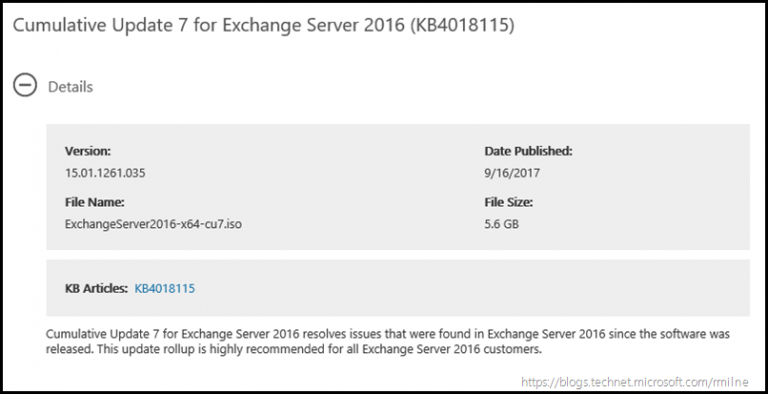
Microsoft Exchange 2013 – 2016 September 2017 Update Microsoft made the latest CU (cumulative Updates) available for both Exchange 2013 and Exchange 2016. These updates include fixes which was reported by customers as well as includes security updates. During a previous post from Microsoft, they have informed customers that a minimum Active Directory forest functional…