Block Office 365 Sign-In based on On-premise Active Directory Security Group.
| | |

Block Office 365 Sign-In based on On-premise Active Directory Security Group.

Block Office 365 Sign-In based on On-premise Active Directory Security Group. The purpose of this guide is the assist support staff to block access to multiple accounts that has been compromised. To get started, login to Azure Active Directory Portal. https://portal.azure.com 1 From the Main menu, click on Azure Active Directory on the left-hand side….

The Connection to the Server could not be completed Migrating to Exchange Online
| |

The Connection to the Server could not be completed Migrating to Exchange Online

The Connection to the Server could not be completed Migrating to Exchange Online Use receive the following error when migrating from Exchange On-Prem to Exchange Online. After receiving this issue, I decided to look further into the MigrationEndPoint using PowerShell for EXO. Get-MigrationEndpoint -Identity mail.o365lab.com |fl Here I can see that the user who created…

Apply Exchange 2013/2016 License Key using PowerShell.
| | |

Apply Exchange 2013/2016 License Key using PowerShell.

Apply Exchange 2013/2016 License Key using PowerShell. Let’s first have a look at what the current license status is by running the following. Get-ExchangeServer EX16 | Format-Table Edition,*Trial* As we can see from the below image, the server has not been licensed yet and is still running as a Trial. To set the license key,…

Enable MFA without assigning Global Admin Privileges to support staff
| |

Enable MFA without assigning Global Admin Privileges to support staff

Enable MFA without assigning Global Admin Privileges to support staff The purpose of this post is to provide an alternative method of enabling MFA on user accounts without assigning Global Admin Permissions to all support staff. Please take note that this solution is based on Azure AD Conditional Access. This option can be used to…

Exchange 2016 Installation Fails with: An attempt was made to load an assembly from a network location which would have caused the assembly to be sandboxed in previous versions of the .NET Framework
| | | |

Exchange 2016 Installation Fails with: An attempt was made to load an assembly from a network location which would have caused the assembly to be sandboxed in previous versions of the .NET Framework

Exchange 2016 Installation Fails with the following error. An attempt was made to load an assembly from a network location which would have caused the assembly to be sandboxed in previous versions of the .NET Framework Navigate to the folder with the Exchange Files using PowerShell and run the following to unblock all the Setup…

Bulk Enable Exchange Online Archiving
| | |

Bulk Enable Exchange Online Archiving

Bulk Enable Exchange Online Archiving This below script simply just enables the Online Archiving Mailbox for users in Exchange Online. The script needs to be run from the On-prem Exchange environment. $list = Import-Csv “C:\Scripts\EnableArchive\enablearchive.csv” foreach($entry in $list) { $User = $entry.User Get-RemoteMailbox -id $User |Enable-RemoteMailbox -Archive } Csv Sample. Simply has the users Alias…

Enable Mailbox Archiving Exchange Online
|

Enable Mailbox Archiving Exchange Online

Enable Mailbox Archiving Exchange Online The focus of this post is to look at two ways on how Mailbox Arching can be enabled in Exchange Online. What is Archiving? Archiving in Exchange Online (called In-Place Archiving) provides users with additional mailbox storage space. Archive mailboxes also provide an alternate storage location in which to store historical…

Assign Import Export Permission in Office 365
|

Assign Import Export Permission in Office 365

Assign Import Export Permission in Office 365 To assign the new permission, do the following. Launch the Exchange Online Admin Console Click Permissions Admin Role and select “Organization Management” Click the “pen” to edit the role From within the Organization Management Role, click on + under roles. Click on the Mailbox Import Request, Then click…

Exchange 2016 Hybrid Configuration
| | | |

Exchange 2016 Hybrid Configuration

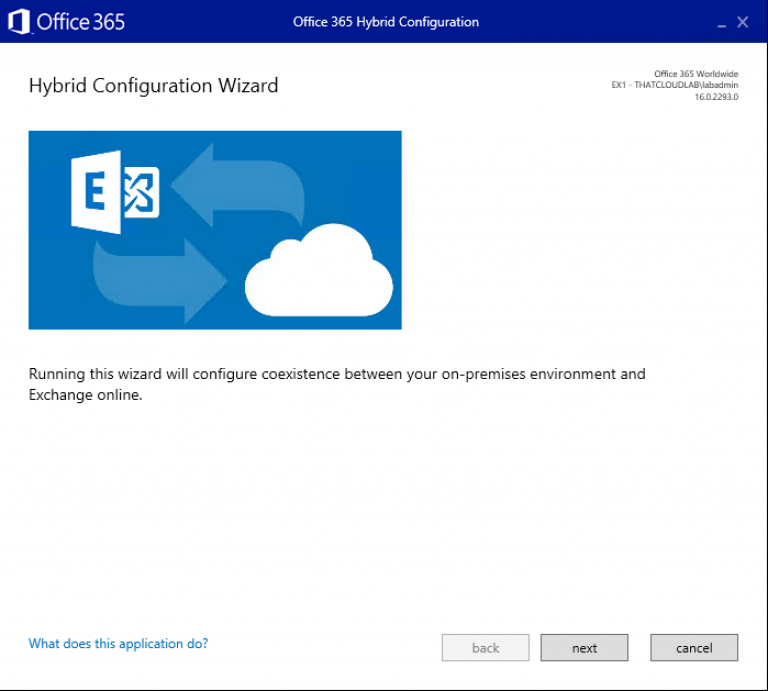
Exchange 2016 Hybrid Configuration A hybrid deployment is a combination of on-premises applications and cloud-based services. For example, Exchange hybrid solutions could include using an Exchange Server on-premises and Exchange Online in Office 365. There are multiple ways to configure mail routing with a hybrid organisation, but for the purpose of this blog post, the focus will be on a non-centralised mail routing. What…

How to Configure ADFS Web Application Proxy for ADSF
| | |

How to Configure ADFS Web Application Proxy for ADSF

How to Configure ADFS Web Application Proxy for ADFS This post will cover the steps needed to configure the ADFS Web Application proxy. What is an ADFS Web Application Proxy? WAP provides reverse proxy functionality for web applications in the corporate network which allows users on most devices to access internal web applications from external…

Configure ADFS for Office 365
| |

Configure ADFS for Office 365

Configure ADFS for Office 365 Requirements: External DNS records for example: fs.o365cloudlab.co.za Internal DNS records for example: fs.thatcloud.com Valid SSL Certificate Service Account with Domain Admin rights More about the requirement can be found here at the Microsoft blog. To get started we need to install the ADSF roles and features. Run Windows PowerShell as…